Skip to content

Order management system for Shopify

Every order, routed by your rules

Routewise OMS decides which store, warehouse or 3PL fulfills each online order, and shows you why.

15-day free trial. Billed on your Shopify bill.

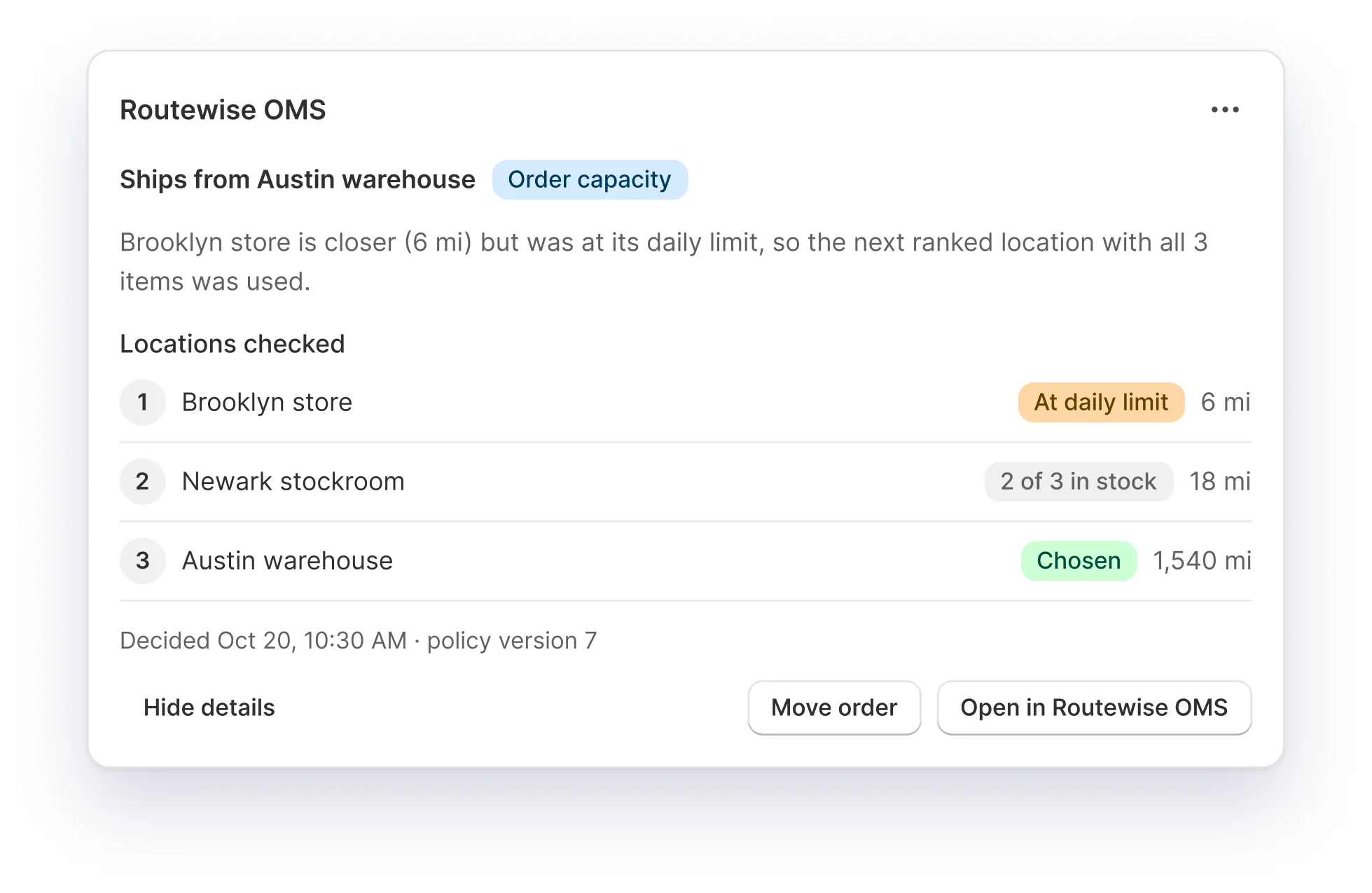
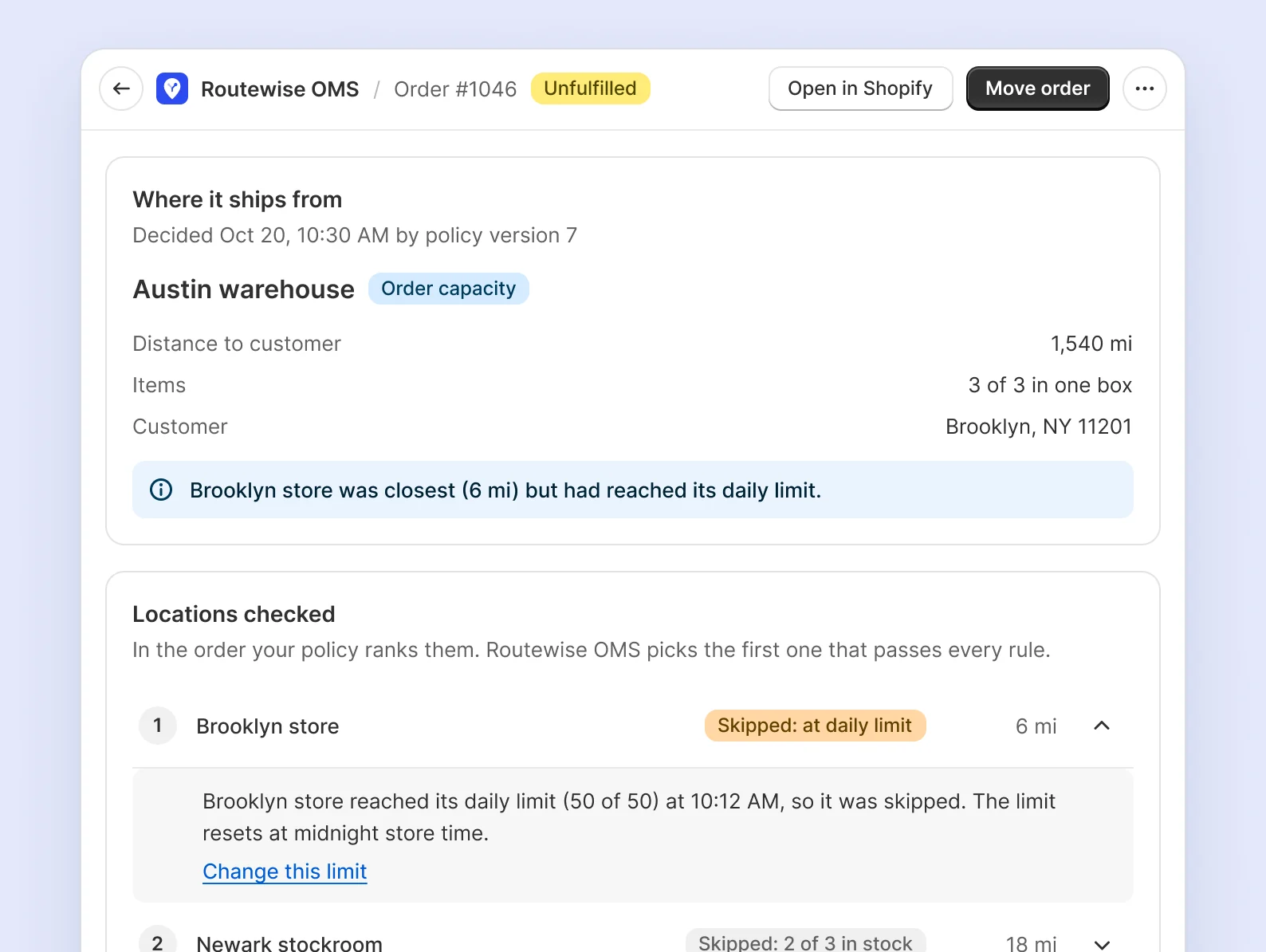
Order page in Routewise OMS showing it ships from the Austin warehouse because the Brooklyn store reached its daily limit

How it works

Live in three steps

A short setup guide walks you through it. Nothing changes until you turn routing on.

  1. 1

    Add your locations

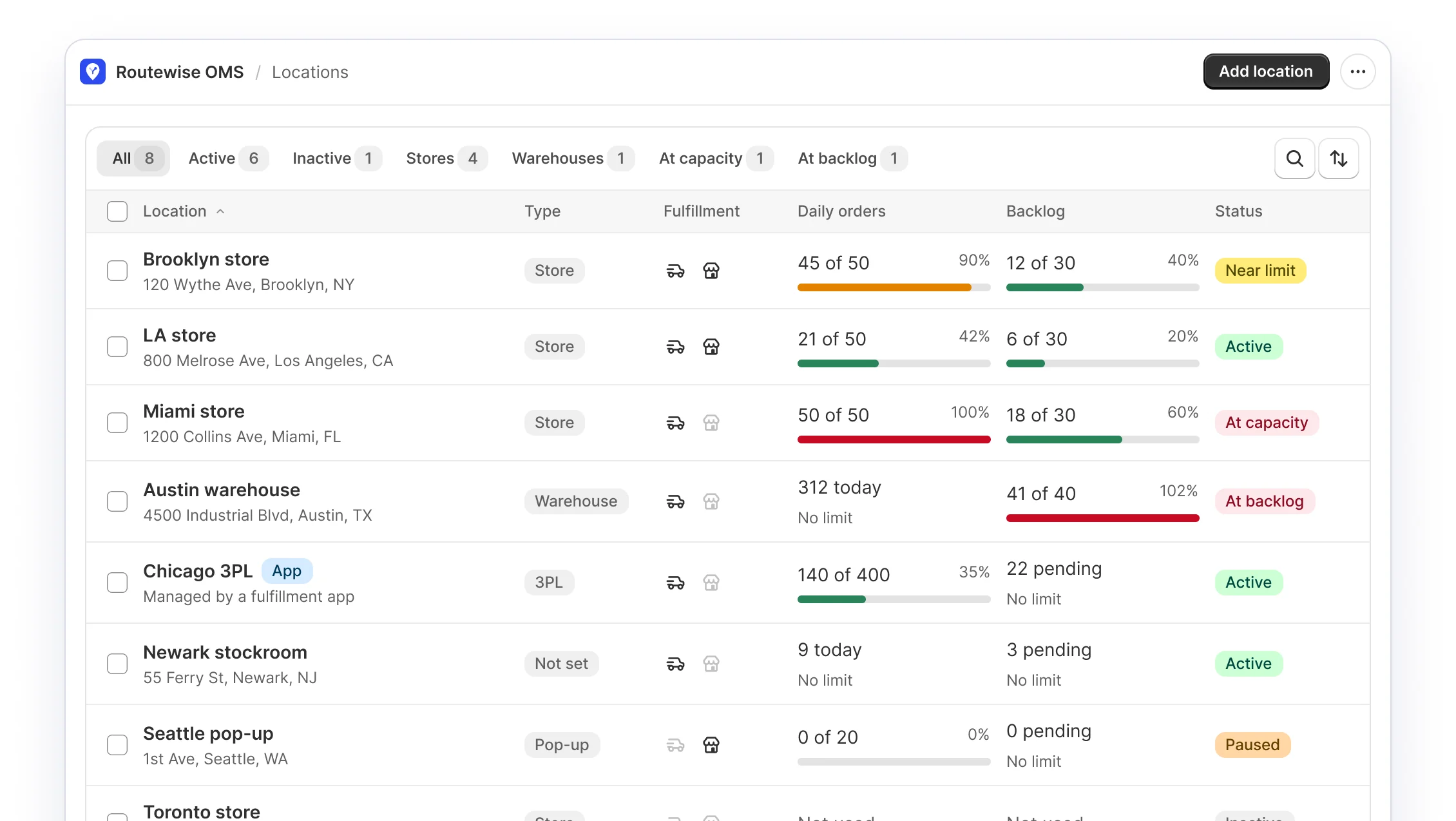
    Every Shopify location appears with its type and today's workload. Mark each one as a store, warehouse or 3PL.

  2. 2

    Rank what matters

    Put your rules in order, set daily limits, and replay recent orders to see what would change.

  3. 3

    Turn on routing

    New online orders follow your policy from the next order. Pause routing from the top bar any time.

Locations list showing each location's type, daily orders, backlog and status

Features

Everything a multi-location brand needs to route orders

Routing rules

Rank what matters, top to bottom

Build a routing policy from ranked location groups and rules for product tags, collections, markets, customers and shipping methods.

  • Drag rules into order
  • Switch any rule on or off
  • When two locations tie, the next rule decides
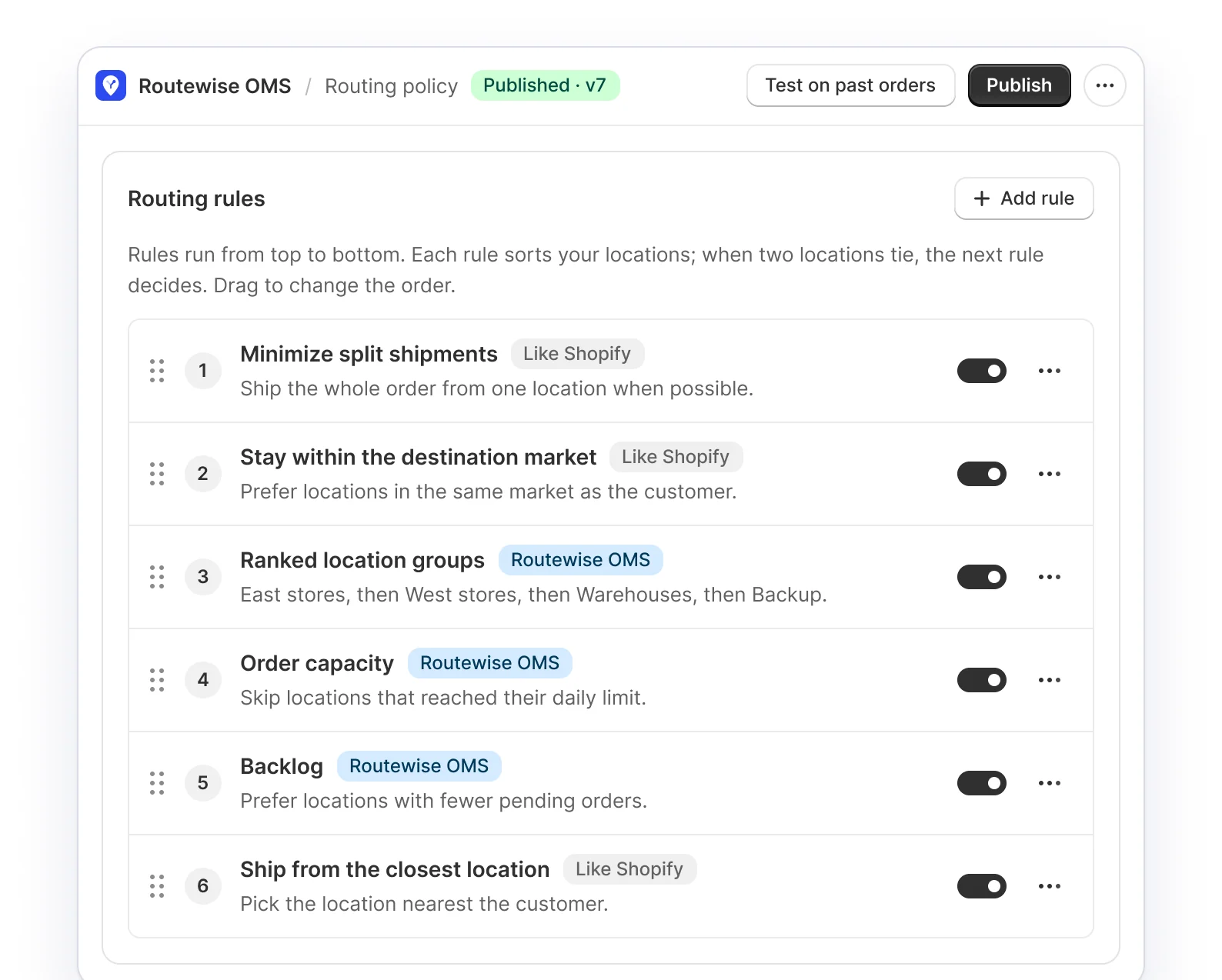
Routing rules ranked top to bottom, each with an on and off switch

Daily and backlog limits

Protect your busiest stores

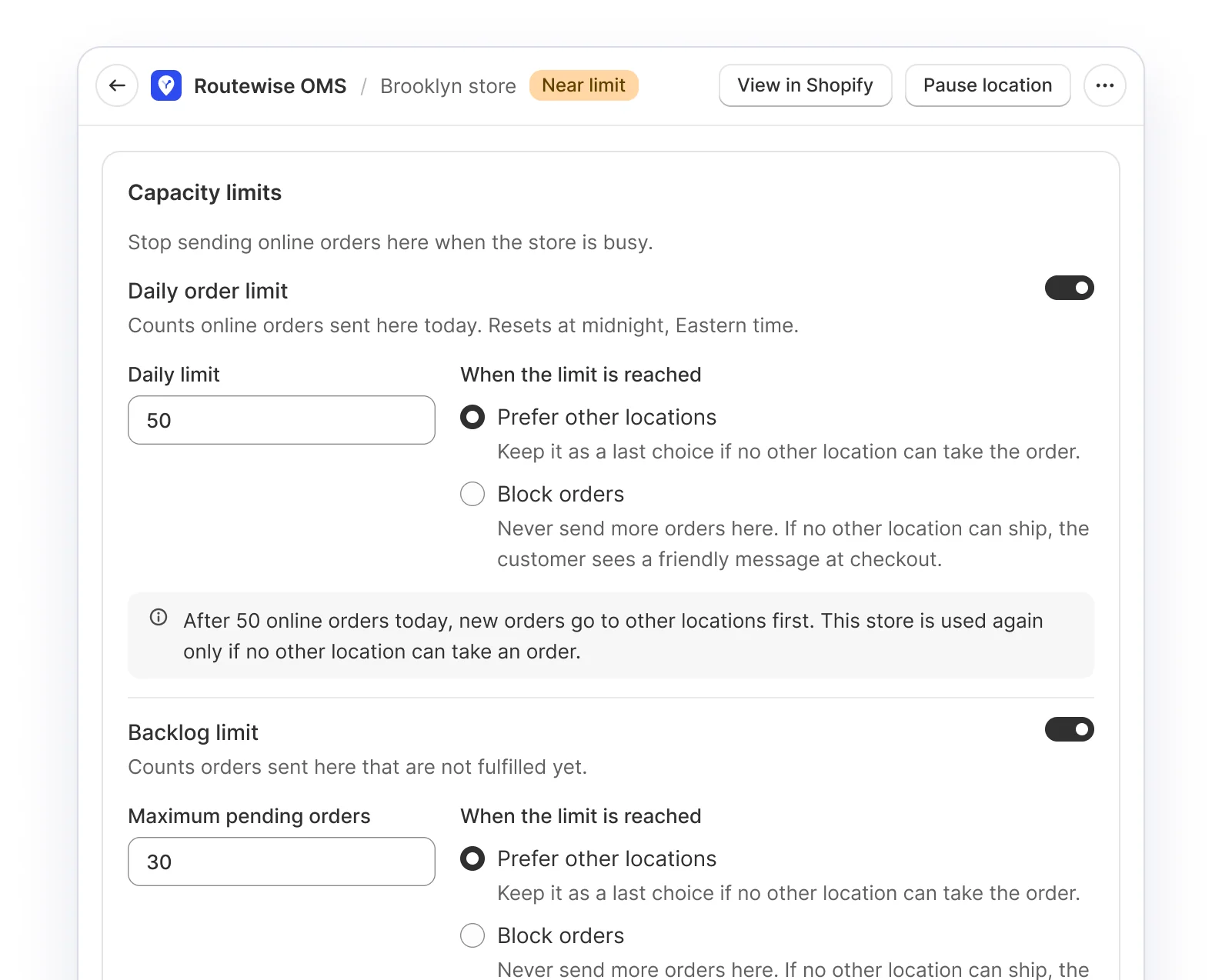
Give each location a daily order limit and a backlog limit, with cutoffs and weekly schedules, so store teams keep time for walk-in shoppers.

  • Prefer other locations once a limit is hit
  • Or block orders at that location
  • Limits reset at midnight, local time
Daily order limit and backlog limit settings for the Brooklyn store

Decision log

See why each order went where it did

Every order shows where it ships from, the rule that decided and every location checked. The same view sits on the Shopify order page.

  • Every location checked, with the reason
  • Move an order by hand, with a reason
  • Shopify moves the fulfillment order for you
Order page block showing the chosen location and each location that was skipped

Automations

Let waiting orders move on their own

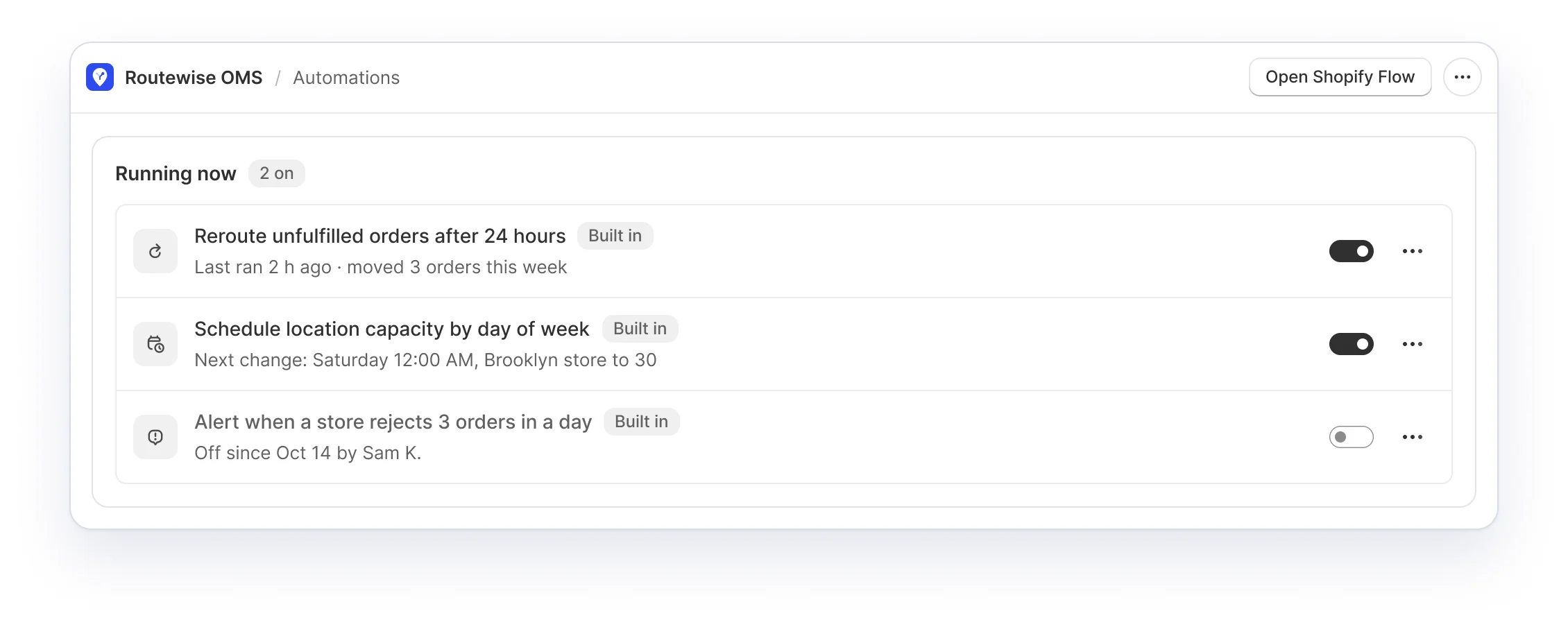
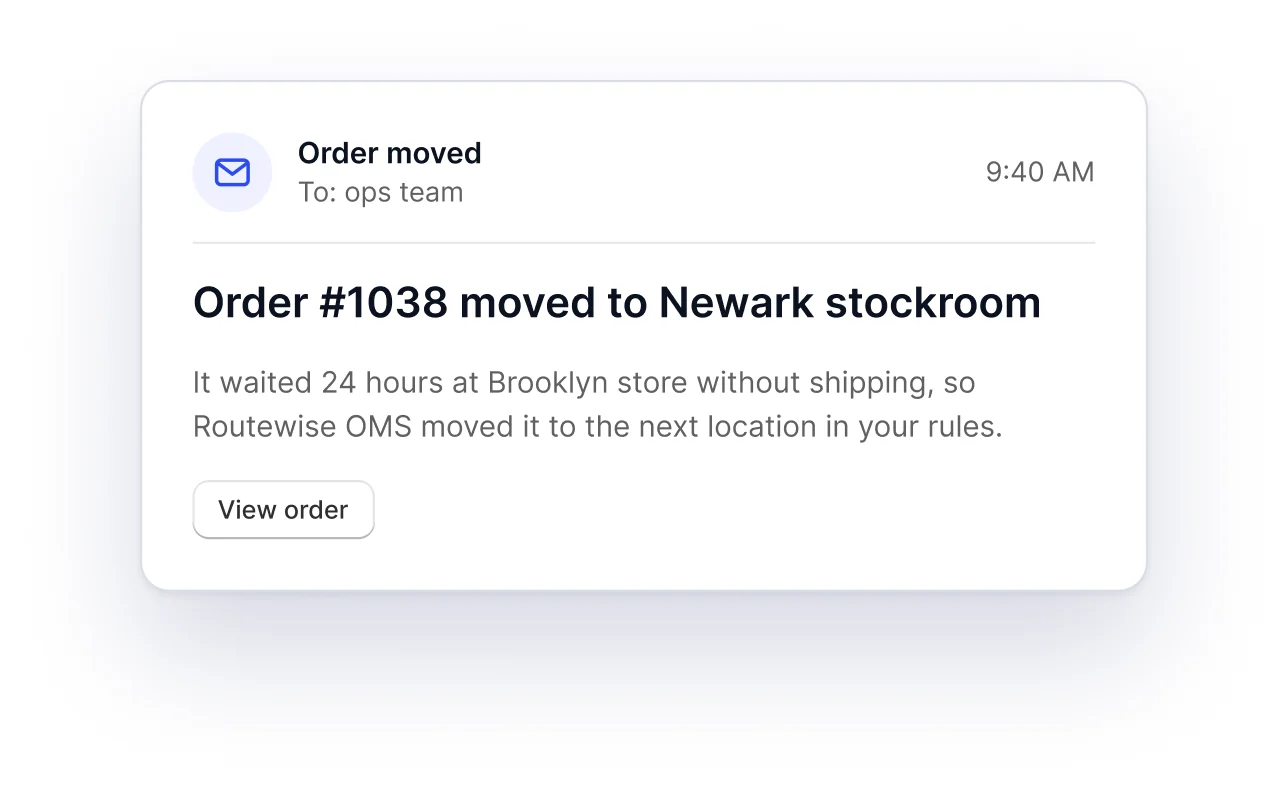
Built-in automations reroute orders left waiting and change capacity by day of week. Shopify Flow templates email your team when an order moves.

  • Reroute unfulfilled orders after a set time
  • Schedule location capacity by weekday
  • Flow triggers and actions for your own workflows
Built-in automations list with switchesEmail to the ops team: order 1038 moved to the Newark stockroom

Activity log

Review every change in one place

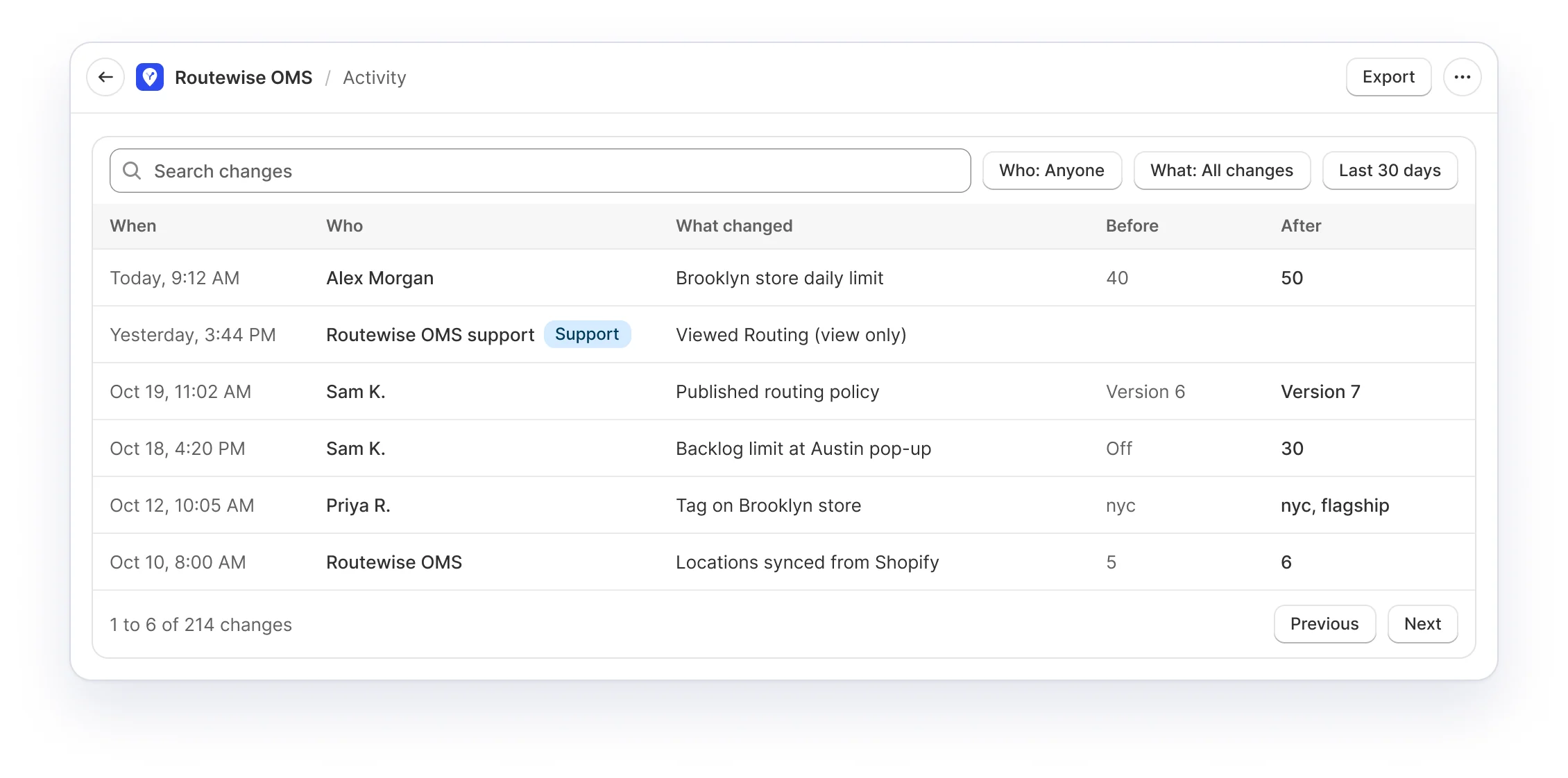
One log for rules, limits and locations, with who changed what and when, plus the value before and after.

  • Search, then filter by person and date
  • Export the log as a CSV file
  • Kept for 12 months
Activity log listing changes with before and after values

Product tour

See it in one minute

Pricing

Every feature on every plan

Plans differ by monthly online sales and the help you get. 15-day free trial, billed on your Shopify bill.

  • Basic

    $280/month

    • Up to $200k online sales a month
    • Email support
    • All features included
  • Starter

    $560/month

    • Up to $1M online sales a month
    • Dedicated support
    • All features included
  • Growth

    $1,400/month

    • Up to $1.5M online sales a month
    • Dedicated support and white-glove onboarding
    • All features included
  • Scale

    $2,400/month

    • Up to $2.5M online sales a month
    • Dedicated support, white-glove onboarding and customer success
    • All features included

Selling more than $2.5M a month? Talk to us about Enterprise.

FAQ

Questions, answered

What is Routewise OMS?

Routewise OMS is an order management system for Shopify. It decides which store, warehouse or 3PL fulfills each new online order, based on rules you set, and records why.

How does Routewise OMS choose a location?

It checks your locations against your routing rules from top to bottom: stock for every item, distance to the customer, daily and backlog limits, and rules for products, customers, markets and shipping methods. The first location that passes every rule is chosen.

Does it work with 3PLs and fulfillment apps?

Yes. Locations managed by a fulfillment app show up next to your stores and warehouses, and orders can be routed to them the same way.

What happens when a store reaches its daily limit?

You choose per location: prefer other locations and keep that store as a last choice, or stop sending it orders until the limit resets.

Can I test my rules before they go live?

Yes. Test on past orders replays recent orders with your rules and shows which ones would ship from a different location. Nothing in your store changes.

Can my team move an order by hand?

Yes. Staff can move an order to any location that has the items and add a reason. Shopify moves the fulfillment order and the timeline records who moved it and why.

How much does Routewise OMS cost?

Plans start at $280 a month with a 15-day free trial. Every plan includes every feature, and billing goes through your Shopify bill.

Route your next order by your rules

Install Routewise OMS, follow the five-step setup guide, and turn on routing when you are ready.

Find it on the Shopify App Store